Version 1 is open. Foundation pricing holds until Version 2 ships. See pricing →

Find the right area
before you find the house.

Buyers agents spend weeks narrowing the map before they show you a single property. Brixel is that work — 1,900+ Australian areas, eight data layers, one screen.

1,900+Areas mapped
8Data layers
$0Agent fee
See it work

One search. The whole picture.

Watch an area assemble itself — search, layers, distances, market figures — in the time it takes to open three browser tabs.

app.brixel.com.au
One-off paymentNo subscription, no auto-renew, no card kept on file.
Dated at the sourceEvery figure carries the date it was loaded, so you can see how fresh it is.
Growing weeklyNew areas added continuously. Anything added while you're in is included.
One platform

Every way to narrow a map.

The work a professional does by hand across a dozen sources, in one place and already comparable.

Type an area. Watch it fill in.

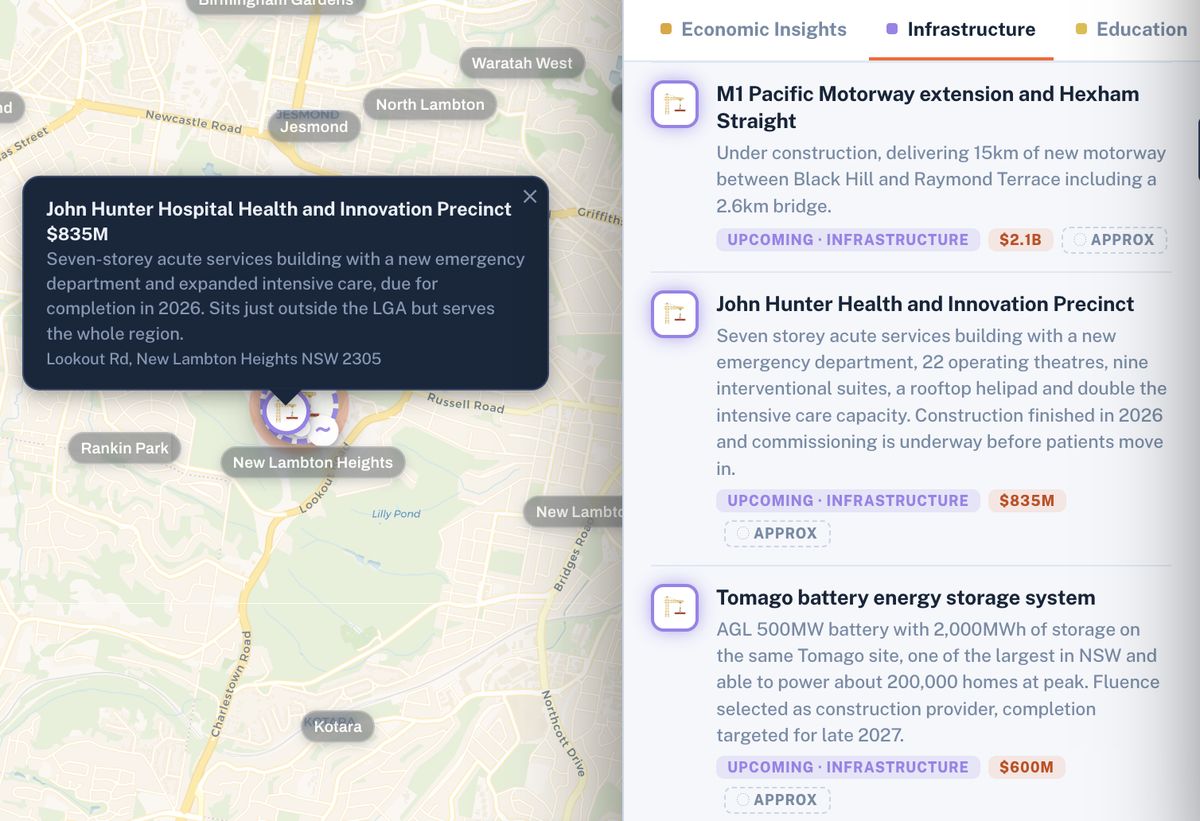
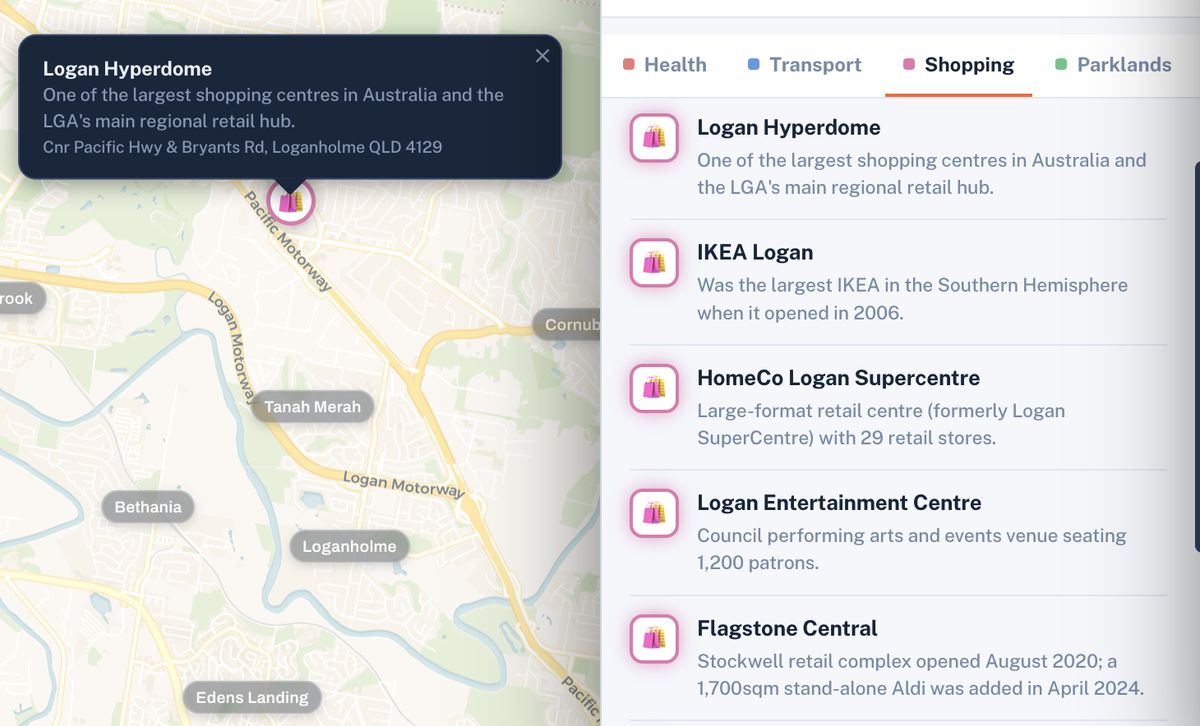
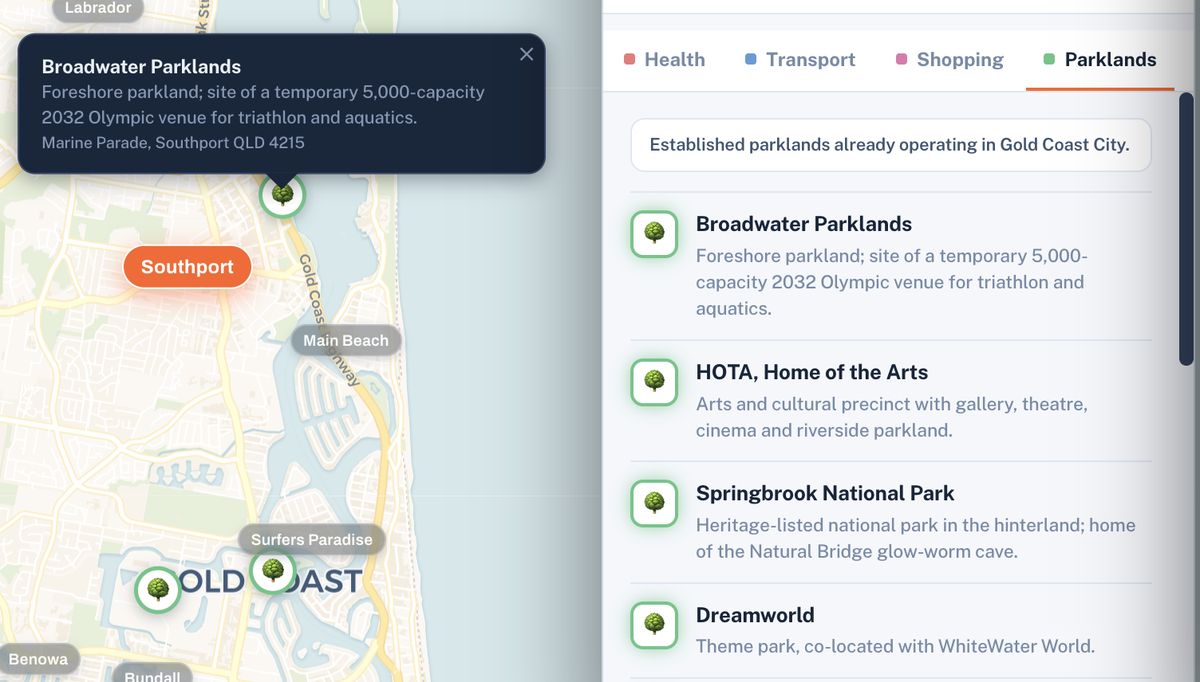
Search any suburb and the map builds around it, each point carrying its own detail and its distance from where you're looking.

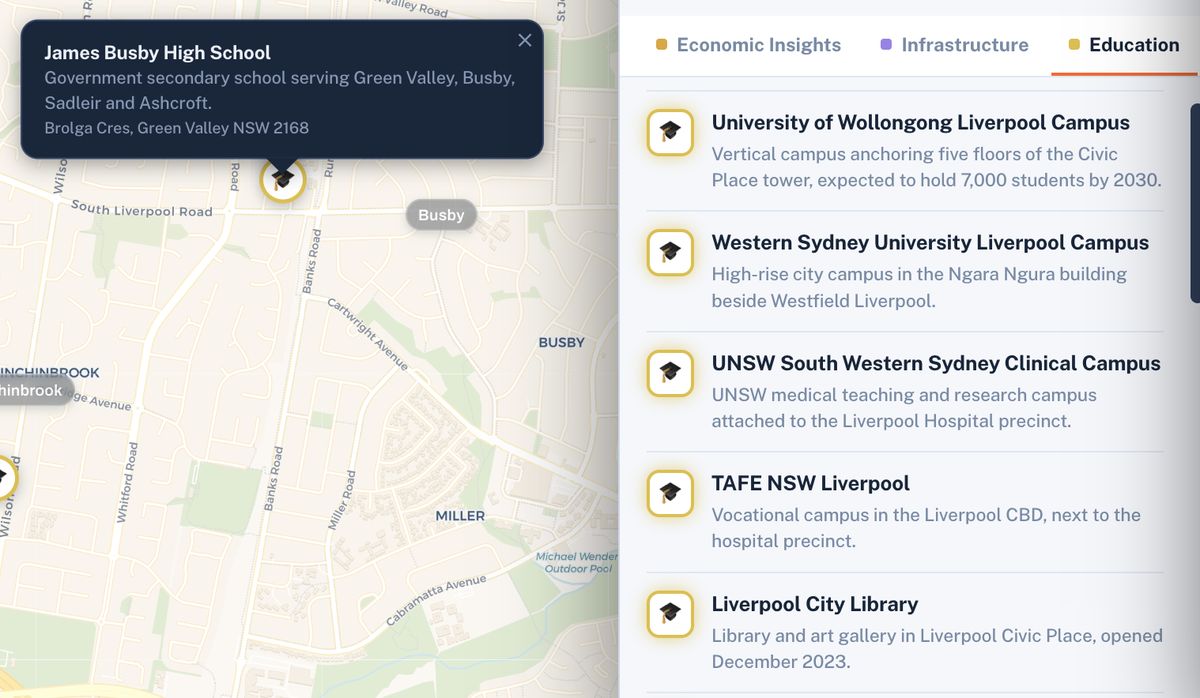
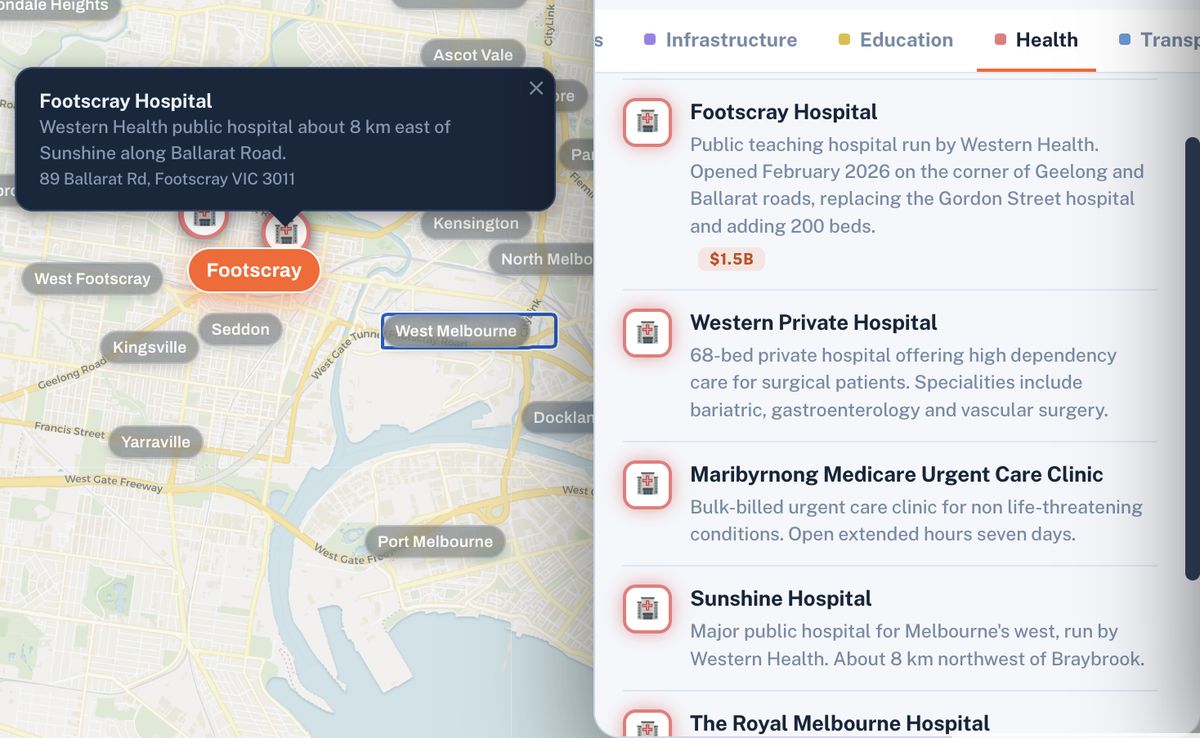
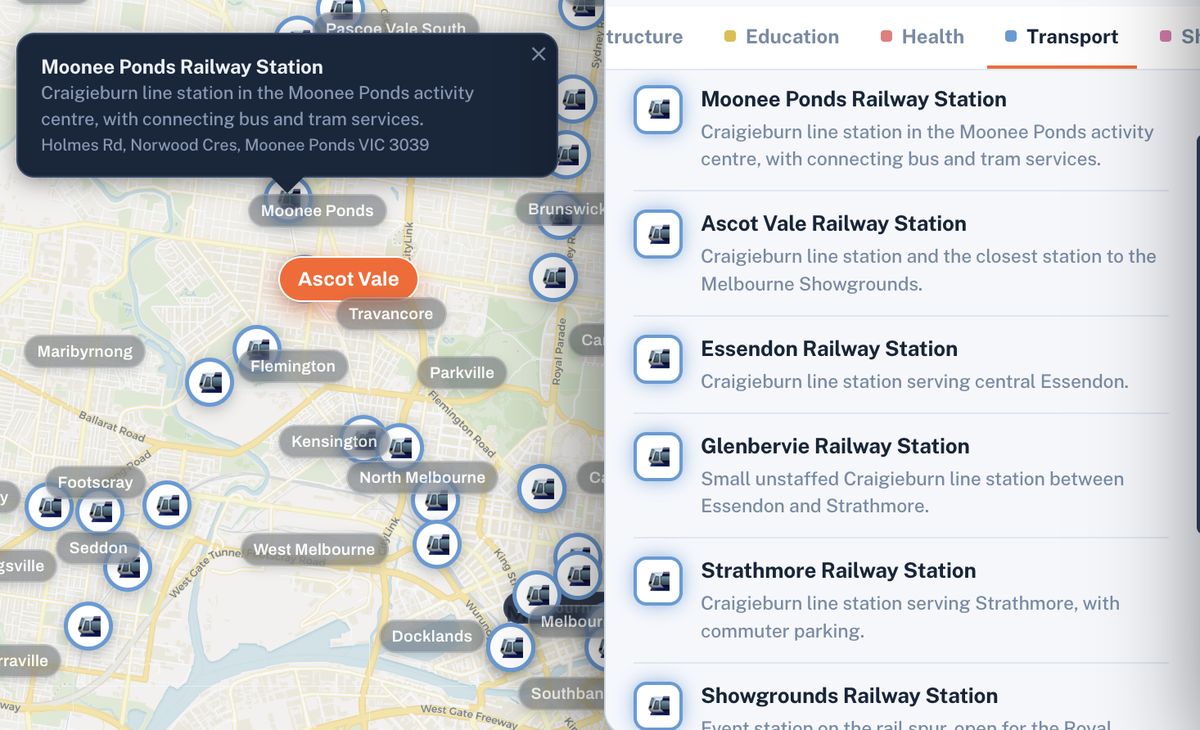
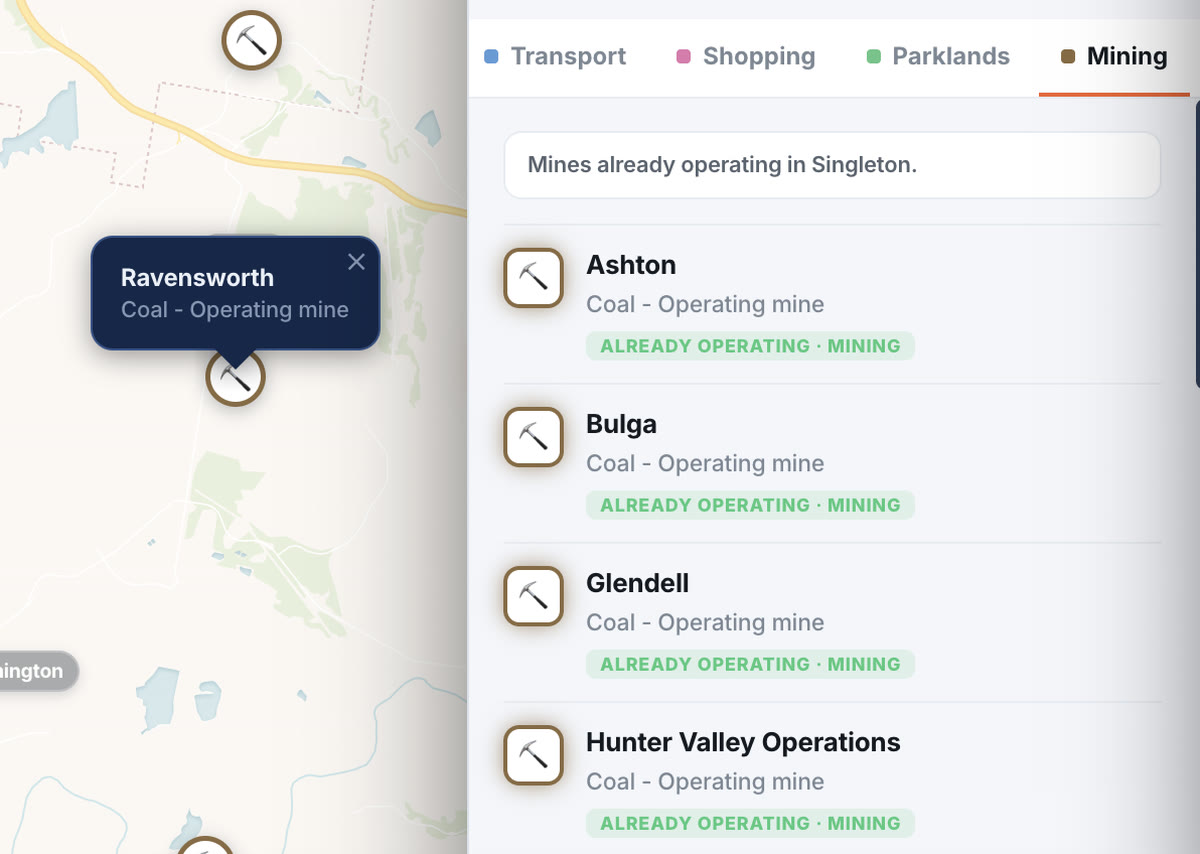
  • Eight layers at once — infrastructure, transport, education, health, retail, parks, economy, services.
  • Project stages, not just dots — see what's built, under way and proposed.
  • Market snapshot — medians, growth, yield and who lives there.
You supply
Search result with layers on
PNG 1600×1000 · 2×

Two areas, identical measures.

Click one area, then another. The differences line up on the same rows, so they're obvious rather than arguable.

  • House and unit medians side by side.
  • Population and median age — who actually lives there.
  • The employment base the region rests on.
You supply
Two areas compared
PNG 1600×1000 · 2×

Set your numbers. Let the map answer.

Not "show me houses" — "show me where to look". The search a listings portal can't run.

  • Filter on yield, price and population across every covered area.
  • Matches light up at once — including areas you'd never search by name.
  • Save the scan and come back to it.
Try a live scan below
You supply
The scan running
6–8s loop · 1600×1000

Drop a pin on an actual address.

Two houses in the same suburb can have completely different surroundings. The pin shows you which one you're buying.

  • Distance from the front door to each amenity.
  • Everything within reach, layer by layer.
  • Report on the pin, not just the suburb.
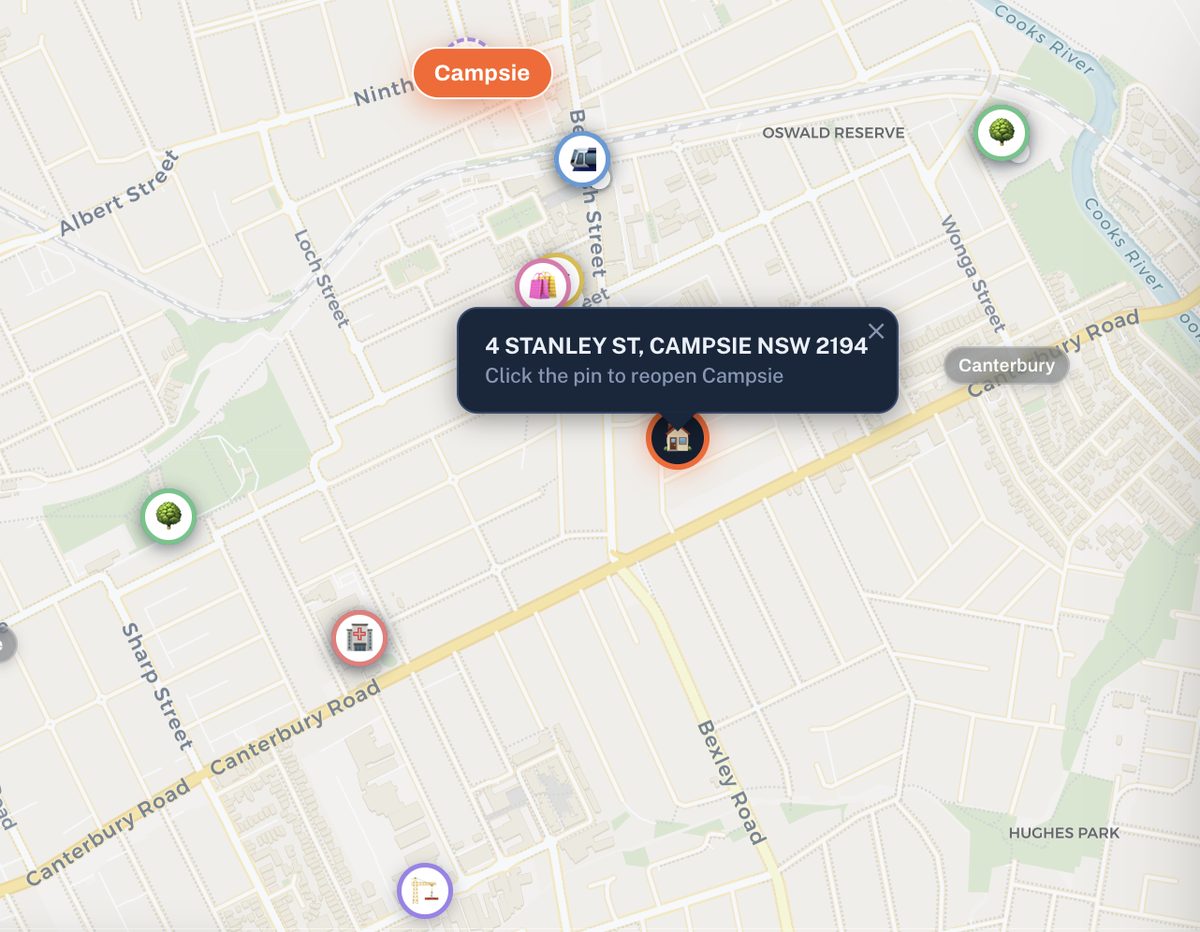
You supply
Property pin view
PNG 1600×1000 · 2×

Something to show for it.

A structured document, not a screenshot dump — with a plain-English note on how to read it and what it isn't.

  • Unlimited reports on any area, as often as you like.
  • Every figure dated, every distance qualified.
  • Yours to keep after your access period ends.
You supply
Report generation
6–8s loop, or PNG 1600×1000
The data

Eight layers. Every area. One screen.

What a professional assembles by hand across a dozen sources — already mapped, already comparable.

Infrastructure

Built, under way and proposed — with the stage each project sits at.

Transport

Rail, light rail, interchanges and the routes that actually connect it.

Education

Primary through tertiary, with distance from your pin.

Health

Hospitals and medical centres — the ones people move for.

Retail

Town centres, anchors and local strips, sized by what they hold.

Parks

Green space, lakes and recreation corridors within reach.

Economy

Gross regional product and the industries employment rests on.

Services

The unglamorous municipal layer nobody thinks to check.

Try it before you buy it

Set your numbers. Watch the map answer.

The platform's core loop, running here on a sample of the dataset. The figures are live — the area names are not. That part is what you're buying.

Scan — sample dataset

In the platform this runs across every covered area, and each match opens into its full layer set and report.

132
of 132 sample areas match
Demo · sample figures
Real coordinates · figures illustrative · names hidden · platform runs 1,900+ areas Run this on the real dataset
Where the data comes from

Sourced, dated, and checkable.

[List your actual sources here — ABS, state planning portals, council DA trackers, transport authorities, market data providers.]

Source logo 1
Source logo 2
Source logo 3
Source logo 4
Source logo 5
Source logo 6
1,900+Areas live in the platform today
8Data layers on every covered area
[Users / reports generated — add once real]
From Version 1 users

What early users found.

Replace all three with real quotes and photos.

You supply
Lead story image
JPG 1200×700

[Headline of their story — the area they found, in their words]

"[Your strongest quote. Ideally from someone who priced up a buyers agent and chose this instead, or who found an area they'd never have considered.]"

First name · Suburb, State

[Second story headline]

"[Quote about the report — showing it to a partner, broker or accountant.]"

First name · Suburb, State

[Third story headline]

"[Quote about time saved, or how many areas they got through in one evening.]"

First name · Suburb, State
What's new

The dataset keeps growing.

Version 1 foundation pricing

Pay once. Use it for as long as you bought.

No subscription, no auto-renew, no card kept on file. These are Version 1 prices — they go up when Version 2 ships.

30 days
A focused month
$49
Version 2 price: $89
$49.00 / month
  • Full platform access
  • Unlimited areas and reports
  • Saved areas and scans
  • New areas added while you're in
Get 30 days
Most popular 3 months
A full purchase cycle
$119
Version 2 price: $239
$39.67 / month · save $28
  • Everything in 30 days
  • Long enough to shortlist, verify and buy
  • Priority on requested areas
  • Direct line to the expert team
Get 3 months
12 months
For the long search
$399
Version 2 price: $899
$33.25 / month · save $189
  • Everything in 3 months
  • Foundation rate lock — renew at $399 for as long as you keep it
  • Every area added across the year
  • Version 2 included when it lands
Get 12 months

If it isn't what you expected

[Insert refund window and conditions verbatim from your Terms & Client Terms. Page and legals must match word for word.]

Built for desktop

Brixel is a mapping platform and needs the screen space. Buy on any device — your access link is emailed straight away — then open it on a laptop.

Before you buy

The questions people actually ask.

Is this a subscription? Will I be charged again?

No. You buy a block of access — 30 days, 3 months or 12 months — as a single payment. Nothing auto-renews, no card is kept on file, and when the period ends it simply ends.

Do you tell me what to buy?

No, deliberately. Brixel shows you the data and the map; interpretation and the decision stay with you. Nothing in the platform or in any report is financial, investment, legal or tax advice.

If you want a person involved, the platform can connect you with independent professionals. That's your choice, not a step you're pushed through.

Which areas are covered?

Just under 2,000 Australian areas are live today, and the dataset grows every week. We deliberately don't claim national coverage, because it wouldn't be true yet.

If you search an area we haven't built, the platform says so plainly and lets you register interest. Anything added while your access is active is included at no extra cost.

Where does the data come from, and how current is it?

[List your real sources — ABS, state planning portals, council DA trackers, transport authorities, market data providers.]

Every figure carries the date it was loaded. Figures are indicative and point-in-time — confirm anything you'll act on independently.

How is this different from realestate.com.au or Domain?

Portals answer "what's for sale right now". Brixel answers "where should I be looking in the first place". It's the step before the portal, not a replacement — you'll still go to the listings, you'll just arrive knowing why you chose that area.

Why wouldn't I just hire a buyers agent?

You might, and for some people that's right. But the fee typically runs $8,000–$20,000, and a large share of it covers area research done before you're shown anything. If you'd rather do that part yourself, this is that work without the fee.

Some people use both: narrow the map here, then bring a shortlist to a professional instead of a blank page.

Does it work on my phone?

It's built for desktop. The map, layers, comparison view and reports all need screen space, and we'd rather say that up front. Buy on any device — your access link is emailed instantly — then open it on a computer.

How quickly do I get in?

[State the real timeframe. If access is automatic, say "immediately after payment". If you set accounts up by hand, say so and give an honest window.]

Can I get a refund?

[Insert refund and cancellation terms verbatim from your Terms & Client Terms.]

See what Brixel can do
for your next purchase.

You were going to spend the next four hours researching anyway. Spend them one level up.

One-off payment · Version 1 pricing · Built for desktop

From $49 · one-off
Version 1 pricing
Get access